Quick Summary: Field ticket rejections are one of the biggest cash flow killers for subcontractors in oil and gas and construction. Benchmark data from 120,000+ tickets shows that digital workflows achieve a 99% approval rate with 59% approved within 24 hours, compared to estimated 20-30% rejection rates for paper-based submissions. Most rejections are preventable with better documentation habits, rate verification before work starts, and a clear dispute process when operators push back unfairly.
Field ticket rejection is the silent margin killer that most subcontractors underestimate until it becomes a crisis. You complete the work, your hands sign off, and then the invoice sits in limbo for weeks while an operator’s accounting team flags discrepancies, missing signatures, or rates that don’t match the approved price book. The result is a stretched DSO (Days Sales Outstanding) and real damage to your operating cash flow.
This guide walks you through exactly why rejections happen, what every ticket must include, and how to build a system that gets you paid faster.
Why Operators Reject Field Tickets
Understanding the operator’s perspective is the first step. Operators process hundreds or thousands of tickets per month across dozens of vendors. Their accounts payable teams are checking for specific things, and when something is missing or inconsistent, the easiest move is to reject and return rather than chase down information.
The most common rejection reasons break down into four categories.
1. Documentation failures
- Missing or illegible signatures from the operator’s company man or site supervisor
- No date, job number, or AFE (Authorization for Expenditure) reference
- Vague service descriptions (“labor” or “misc work” with no detail)
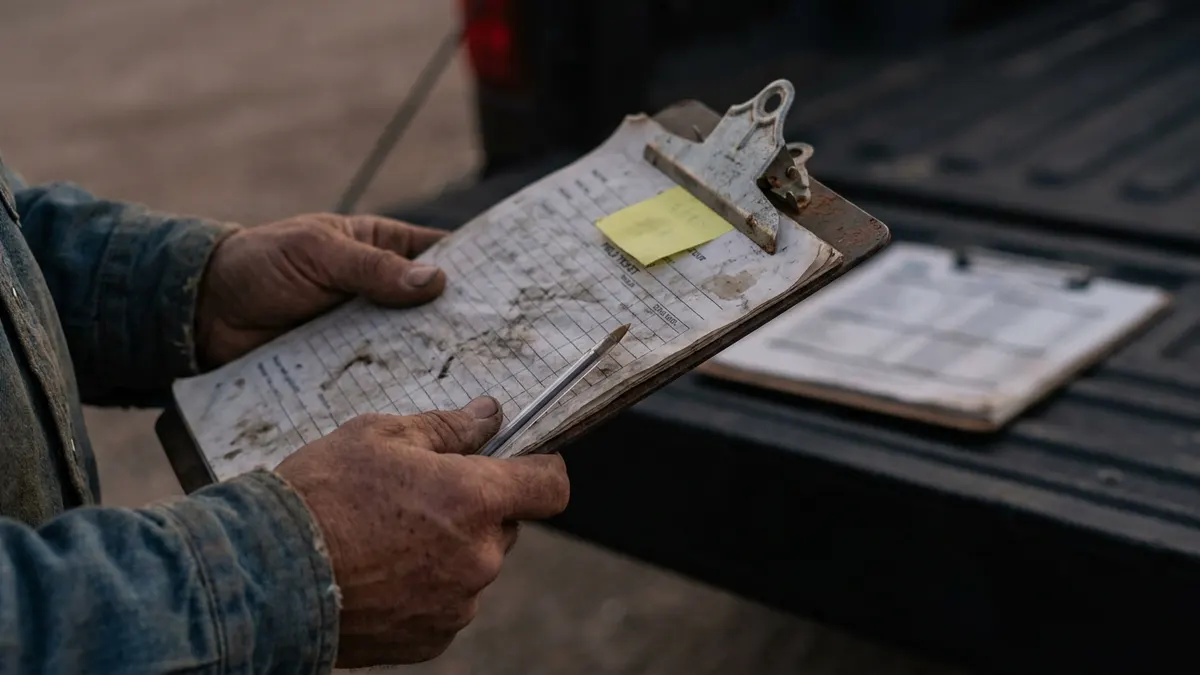
- Illegible handwriting on paper tickets
2. Rate and billing errors
- Rates billed don’t match the approved price book on file
- Standby time, mobilization, or overtime billed without prior written authorization
- Incorrect unit of measure (billing per hour when the contract specifies per day)
3. Contract and compliance issues
- Work performed outside the scope of the active Master Service Agreement (MSA)
- Safety or compliance documentation missing (insurance certificates, ISNetworld status)
- Tickets submitted after the operator’s billing cutoff window
4. Administrative problems
- Duplicate submissions
- Tickets sent to the wrong department or contact
- Invoice totals that don’t match the line items on the ticket
Knowing which category your rejections fall into tells you exactly where to focus.
What Every Field Ticket Must Include to Get Approved
There is no universal standard, but the following fields are required by virtually every operator in the Permian, Gulf Coast, and broader North American oilfield. Treat this as your minimum baseline.
Date of service — Ties the ticket to the correct billing period and AFE.
Well name and API number — Confirms the work location and prevents misposting to the wrong cost centre.
AFE or work order number — Links the ticket to an approved budget. Without it, the ticket has no home in the operator’s system.
Detailed service description — Justifies the charge. “Labor” or “misc work” will get rejected. Describe what was done, where, and why.
Equipment ID or serial number — Required for equipment-based billing and supports the audit trail.
LEM (Labour, Equipment, Materials) breakdown — Separates billable cost categories so the operator can approve each line independently.
Hours or units with start and end times — Supports time-based rate calculations and overtime verification.
Rate applied and price book reference — Confirms billing aligns with contracted rates. Include the price book version or effective date.
Subcontractor rep name and signature — Establishes who performed and certified the work.
Operator rep name and signature — The most critical approval step. Get it before leaving the site, every time.
Any add-ons (standby, mob/demob, overtime) — Must be itemized separately and backed by written authorization.
The #1 rule: The operator’s signature on-site is the single most important element on any ticket. Once your crew leaves without it, you lose your primary leverage. Train your field personnel to treat the signature as a requirement before equipment is released or the crew demobilizes.
How Rate Discrepancies Cause Payment Delays
Rate discrepancies between your submitted ticket and the operator’s price book on file are the number one source of formal ticket rejections in oilfield invoicing. They are also almost entirely preventable.
Here is how the problem typically unfolds: Your sales or estimating team negotiated rates 18 months ago. Since then, the price book was updated, but the field crew is still using the old rate sheet. The ticket comes in at $185 per hour for a piece of equipment that the operator now has listed at $175 per hour in the current agreement. The AP team flags it, rejects the line item, and the whole invoice is held.
How to eliminate rate discrepancies
- Confirm the current price book version before mobilizing on any new job, not just new contracts. Operators update rates more often than subcontractors realize.
- Store the approved price book where field supervisors can access it from the wellsite: a shared drive, a field app, or a printed copy kept in the truck.
- When rates change mid-contract, get the new rates in writing with an effective date and distribute them to both your field and billing teams simultaneously.
- For T&M (Time and Materials) work especially, verify that every non-standard charge (standby time, weather delays, equipment swap-outs) has a corresponding line in the price book or written one-time authorization from the company man.
If a rate dispute reaches the invoice stage, you will need the signed ticket, the applicable price book page, and ideally a written communication from the operator rep authorizing the rate. The ticket alone is not enough.
The Real Cost of a Rejected Field Ticket
Most subcontractors track rejections as an inconvenience. The smarter operators track them as a financial metric.
Consider a mid-size well servicing company running 15 crews across the Permian. Each crew generates an average of four tickets per week. If 10% of those tickets are rejected and require resubmission, that is six tickets per week being recycled through the system. Each rejected ticket adds an average of 14 to 30 days to the payment cycle. On tickets averaging $8,000 each, that is $48,000 sitting in limbo at any given time due to rejections alone.
This is revenue leakage in one of its most preventable forms.
The real costs stack up across four dimensions.
Extended DSO. Every rejected ticket stretches your DSO (Days Sales Outstanding). If you are already on Net 45 terms, a rejection can push actual payment to 75 or 90 days. Benchmark analysis shows that reducing approval time from 20 days to 5 days saves approximately $29,000 annually in financing costs for a contractor processing $10 million in ticket value, and $145,000 at $50 million.
Administrative overhead. Someone on your team has to research the rejection, correct the ticket, re-obtain signatures if necessary, and resubmit. That time has a real labour cost.
Write-offs and underbilling. Tickets that fall through the cracks, especially ones that miss a billing cutoff after rejection, often get written off entirely. You performed the work and collected nothing.
Relationship friction. Frequent rejections signal to the operator that your administrative process is weak, which creates leverage for them during rate renegotiations.
A 5% reduction in your rejection rate is not just a paperwork improvement. It is a cash flow improvement.
How Digital Field Ticket Tools Reduce Rejection Rates
Paper-based ticketing systems are the single biggest driver of preventable rejections. Illegible handwriting, lost tickets, missing signatures, and manual data entry errors disappear when you move to a digital workflow.
The numbers back this up. An analysis of 120,000 digital field tickets worth over $1 billion found that digital submissions achieved a 99% approval success rate, with 91% approved on first submission. 59% of digital approvals completed within 24 hours and 81% within five days. Compare that to estimated 20-30% rejection rates and 14-21 day approval cycles for paper-based submissions. Major operators like Suncor (11,700 approvals processed) and CNRL (9,700 approvals) are already running at scale on digital workflows.
Platforms built specifically for oilfield operations, like Aimsio, handle the nuances that generic forms tools miss: price book integration, LEM breakdowns, and operator-specific approval workflows. Here is what to look for:
Required field enforcement
Digital forms can be configured so a ticket cannot be submitted without every mandatory field completed. The system catches missing AFE numbers or blank rate fields before the ticket ever reaches the operator.
Price book integration
The best platforms integrate directly with your approved rate schedules so that field personnel select services from a pre-approved list and rates populate automatically. The chance of billing $185 when the price book says $175 drops to near zero.
Digital signature capture
Operators and company reps can sign on a tablet or phone at the wellsite. The signature is timestamped and attached to the ticket record permanently. You never lose a signature to a lost paper ticket again.
Real-time submission and tracking
Tickets flow directly to the operator’s AP system or your billing team without sitting in a truck cab or a field office inbox for three days. Faster submission means you hit billing cutoffs more consistently.
Audit trail
When a dispute arises, digital tickets come with a complete history: who created the ticket, when it was modified, who signed, and when it was submitted. That documentation is invaluable if a dispute escalates.
Even a basic digital forms tool, configured properly for your specific operator requirements, will outperform a paper system. The ROI on adoption is almost always visible within the first billing cycle.
What to Do When a Field Ticket Is Wrongly Rejected
Even with a clean process, you will encounter wrongful rejections. Operators make mistakes, AP teams misread contracts, and company men sometimes dispute charges they verbally authorized on-site. Here is how to handle it without burning the relationship or losing the money.
Step 1: Get the rejection reason in writing
Never negotiate a rejection based on a verbal explanation. Request a written rejection notice that specifies exactly which line items are disputed and why. Most operators have a formal process for this.
Step 2: Pull your documentation
Gather the original signed ticket, the applicable price book page, the MSA or work order, and any written or email communications from the operator rep that support your position. Your case is only as strong as your paper trail.
Step 3: Respond at the right level
A rate dispute is an AP-level conversation. A scope dispute may need to involve the operations or contracts team. Sending an invoice dispute to the wrong person adds weeks of delay. Know your contacts on the operator side.
Step 4: Escalate strategically
If the AP team rejects a valid charge, escalate to the field operations contact who authorized the work. The company man who signed your ticket and verbally approved the standby charge is a far better ally than an AP clerk reviewing a rate schedule.
Step 5: Document every communication
Keep a written record of every email, phone call, and meeting related to the dispute. If the issue escalates to a formal backcharge dispute or legal action, this record is your evidence.
Step 6: Know when to invoke your MSA
Most master service agreements include a formal dispute resolution clause. If a rejection is significant and the operator is stonewalling, invoking the MSA process formally protects your rights and signals that you are serious.
Never simply accept a rejection and move on without investigating it. Across a year, quietly absorbing disputed tickets is one of the fastest ways a profitable subcontractor becomes an unprofitable one.
Field Ticket Approval Checklist
Print this and put it in every field truck. Before any ticket leaves your field rep’s hands, confirm every item:
- Date of service filled in
- Well name, API number, and location confirmed
- AFE or work order number included
- Service description is specific (not “labor” or “misc”)
- Full LEM breakdown completed
- Hours, units, start and end times recorded
- Rates match current approved price book
- Any non-standard charges (standby, overtime, mob) separately noted and authorized
- Subcontractor rep has signed
- Operator or company man has signed on-site
- Copy retained by your field rep before leaving the wellsite
Make it a habit. This is the last step before equipment rolls off location. No signature, no release.
Bottom Line
Most field ticket rejections are preventable documentation failures, not genuine billing disputes. Build a habit of complete tickets, confirmed rates, and on-site signatures, and you will cut your DSO (Days Sales Outstanding) and revenue leakage faster than almost any other operational change. When rejections do happen, treat them as recoverable with the right paper trail and the right escalation path.